Internal FBS systems and illustrative demonstrations · Not client results
FBS business systems: practical trackers and follow-up workflows
The example scenario
A small business may receive inquiries in different places, lose track of the next step or spend time checking the same records. A practical tracker can make the work visible before deciding whether an automation is needed.
What FBS built internally
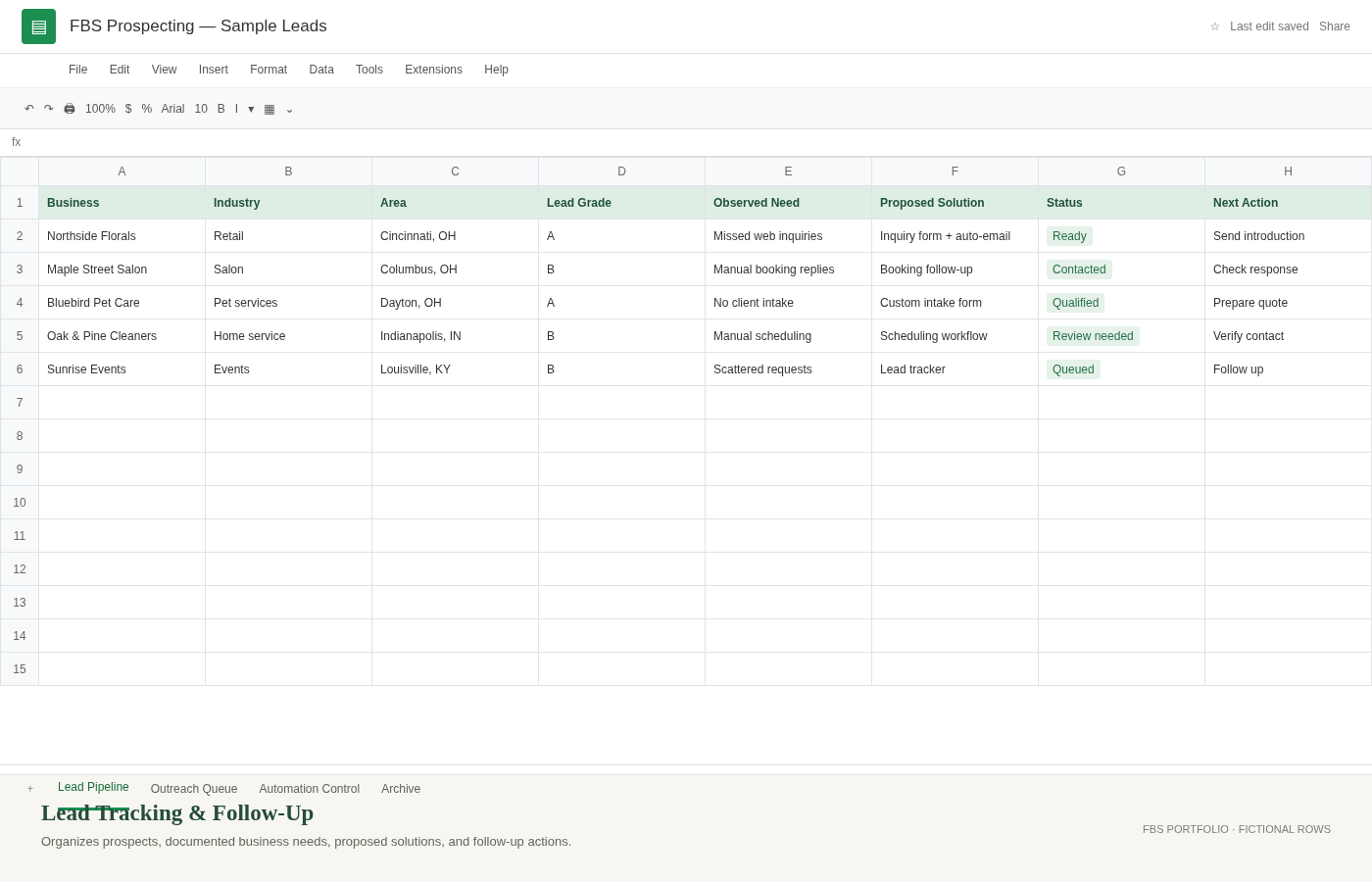
FBS uses Google Sheets to organize prospects, observed needs, review decisions, outreach states, next actions and follow-up dates. Its internal workflow includes approval steps and send-state tracking. FBS also uses content planning tools to coordinate business posts. The visuals here recreate those structures with fictional records instead of exposing live prospects or private business data.
Trackers and dashboards in everyday language
A tracker holds the records. A dashboard or summary view helps someone see the work that needs attention. The examples illustrate customer and lead tracking, status views and follow-up organization. FBS can scope Excel or Google Sheets solutions around a business’s actual needs; the pictured recreation shows a Google Sheets example.
Where automation fits
A form, spreadsheet and reminder can be connected so information follows an agreed process. The internal outreach example includes review steps and workflow controls. Important messages and AI-assisted drafts receive human review.
The practical benefit
The structure gives each record a status and a next action that a person can review. A business can start with a focused spreadsheet fix or inquiry tracker and add automation only where it makes sense.
Want one place to track customer requests or a simpler follow-up process? Describe the task and the tools you already use.
Ask Stephanie about your projectSmall projects welcome. Digital services available remotely nationwide.